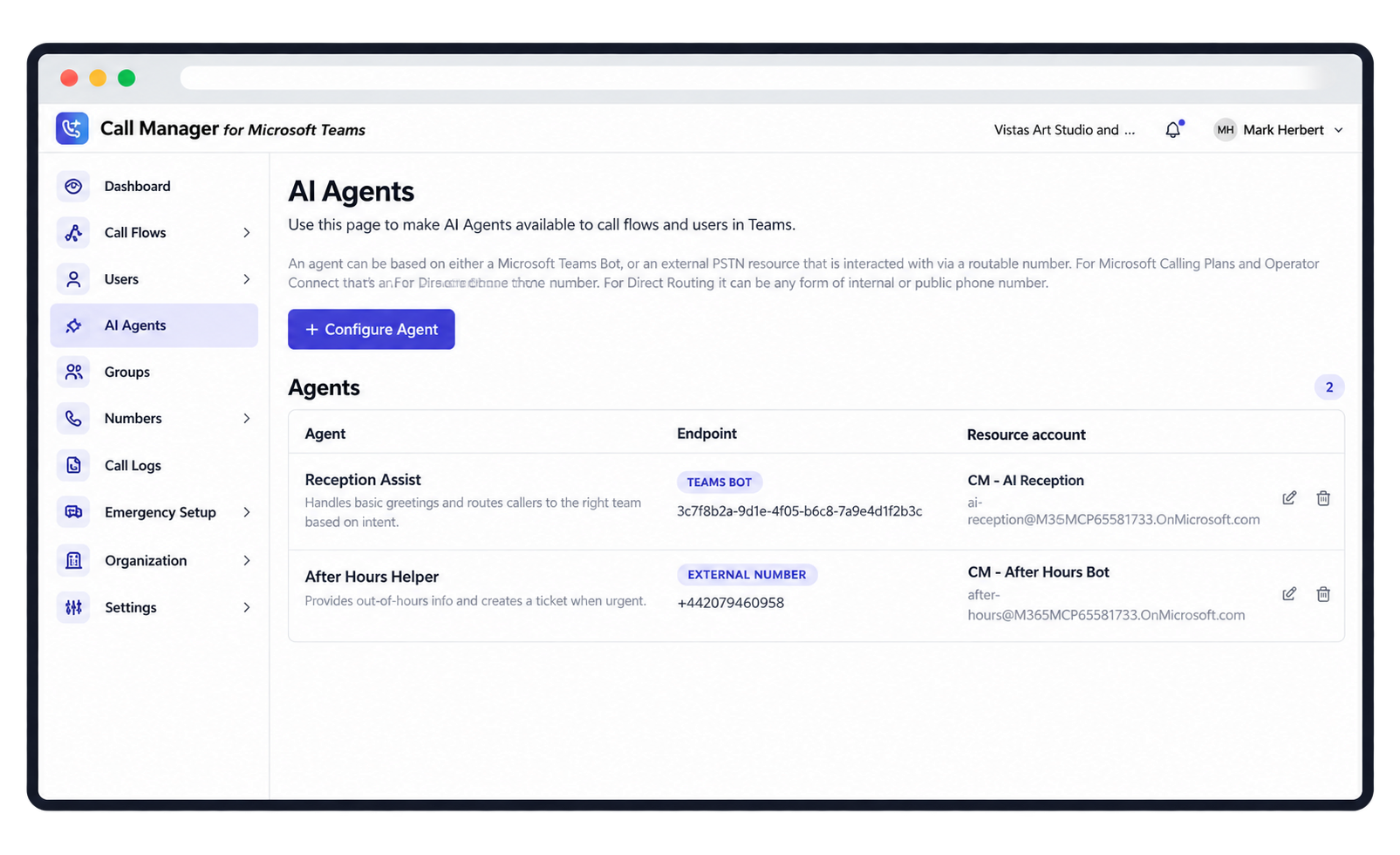
Admin for Teams simplifies everyday Microsoft Teams Phone management for you and your customers – users, numbers, call handling and more, without constantly navigating Microsoft’s admin environment.
Teams Phone is powerful. But as customers grow, the everyday jobs pile up – and each one means another trip into Microsoft’s admin environment.
Admin for Teams
One simpler management layer
The same jobs, through one straightforward interface built for everyday Teams Phone administration.
Less admin. More control.
Simpler administration
Make common Teams Phone changes through one straightforward management experience.
Faster customer onboarding
Set up customers, users, numbers and calling requirements with guided workflows.
Manage multiple customers
Support every customer’s Teams Phone environment from one place.
Customer self-service
Give customers a simpler way to make appropriate everyday changes themselves.
What can youmanage?
Users
Create, update and remove Teams Phone users.
Phone numbers
Assign, release and reassign numbers.
Calling configuration
Calling policies and features.
Emergency locations
Keep emergency addresses up to date.
Customer set-up
Guided set-up, from opening hours to main number.
Auto-attendants
Menus, routing and greetings.
Groups & queues
Organise who answers which calls.
Ongoing administration
Everyday moves, adds and changes.
One dashboard. More customers. Less complexity.
Manage every customer’s Teams Phone environment centrally – without jumping between separate Microsoft tenants, logins and admin portals.
✓ Switch between customers from one place
✓Make changes without broad Microsoft 365 admin access ✓ Respond to customer requests faster
✓Turn Teams Phone administration into a managed service
You, the Partner
One login
Admin for Teams
One dashboard for every customer
Customer A
Teams Phone environment
Customer B
Teams Phone environment
Customer C
Teams Phone environment
Give customers a choice
Self-service or managed by you. Admin for Teams supports both – and you can choose customer by customer.
Customer self-service
The customer’s authorised users manage appropriate everyday Teams Phone requirements through a simpler interface.
✓ Quicker changes for the customer
✓Fewer routine tickets for you
✓ You set what they can change
Partner-managed
You manage the customer’s Teams Phone environment on their behalf, and make administration part of your managed service.
✓ A recurring managed-service offer
✓Changes handled by people who know Teams
✓ One place to support every customer
Make everyday Teams tasks feel everyday
Add a new starter
Create the user, give them a number and put them in the right call queue – in a few clicks.
Manage numbers
See what’s assigned, free up a leaver’s number and reuse it.
Update call handling
Change opening hours, holiday messages and auto-attendant routing without the run-around.
Support customers remotely
Make the change for your customer without needing broad Microsoft 365 admin access.
Manage multiple customers
Move between customer environments from one place.
The management layer in Teams.But Smarter.
Admin for Teams is one of three capabilities Partners can add on top of Evolve IP Operator Connect. Add it on its own, or alongside Insight and Mobility.
Give your customers a better Microsoft Teams experience – and give yourself a simpler way to support it, whether they self-serve or you manage it for them.